


PhotoRestore - File Recover
4.034.00 Reviews
App Specs
- Version
- 1.8
- Updated On
- License
- Free
- Downloads
- 100,000+
- Developer
- Last Minute Flights Corp.
- Categories
- Tools
- Platform
- Android
Screenshots
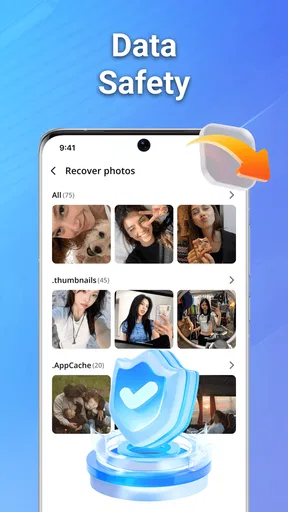
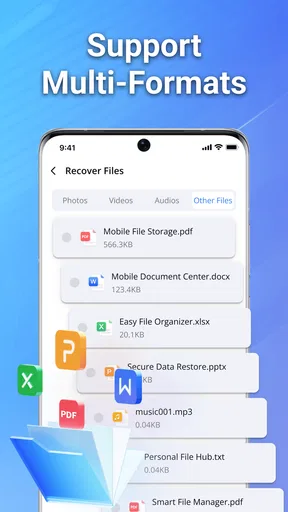
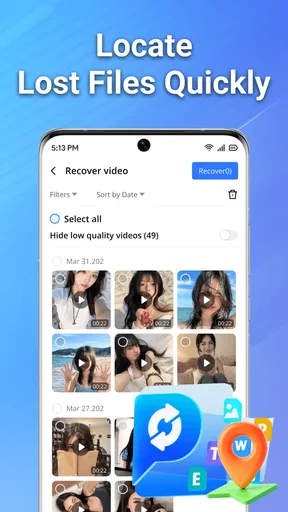
 Analysis by AppCompare
Recovering a deleted file is often less about finding a clever tool and more about staying calm before the phone changes too much. I tested PhotoRestore - File Recover with that situation in mind: a free Android tools app from Last Minute Flights Corp. designed to help bring back deleted photos, videos, and documents. Its promise is easy to understand, but the real question is whether the experience remains manageable for people with different reading, movement, vision, hearing, and time needs.
My overall impression is cautiously positive. The app has a focused purpose, an Everyone content rating, and a current version of 1.8 that runs on Android 7.0 or later. It is not a replacement for a proper backup routine, and I would not treat any recovery app as a guarantee. Still, when I wanted a straightforward place to begin after an accidental deletion, this was more approachable than searching through complicated desktop recovery software.
How PhotoRestore feels to use in real recovery situations
I’ll focus on what makes a recovery attempt feel manageable: keeping the search narrow, checking each result carefully, and avoiding rushed selections when the files matter. Those choices can make the difference between a useful first step and a confusing list, especially when someone is helping another person with a private or important file.
Readable navigation matters more than flashy design
The strongest part of a recovery tool is a clear path from opening the app to reviewing possible files. PhotoRestore benefits from having one central job rather than trying to be a gallery, file manager, cleaner, or backup service at the same time. That narrow focus makes it easier to understand why I am using it and what I should do next.
For someone who is anxious after deleting a family picture or work document, this matters. A cluttered interface can encourage rushed taps, especially when the user is unsure whether a button will scan, erase, restore, or open a file. I found the best approach was to move slowly, read each screen before selecting anything, and treat the results as a review stage rather than immediately restoring every item shown.
Text readability is also important for older users and anyone who tires quickly when reading a phone screen. I would use the app with the device’s normal display-size and text-size settings adjusted first, rather than trying to compensate by holding the phone closer. Larger system text can make recovery instructions easier to follow, although enlarged text may change how much information fits on a screen. That trade-off is common on Android: better legibility can mean more scrolling.
The app’s simple purpose is helpful for people who do not want to learn technical vocabulary. You do not need to begin by understanding partitions, file systems, or command-line recovery. At the same time, simplicity should not be confused with certainty. A list of possible recoverable items still needs careful checking, because a thumbnail or filename may not tell the whole story about whether a file is intact.
Worth Reading Before You Choose

EA SPORTS FC Mobile 26 Is a Bigger Football Game, but It Takes Time

Flipboard Shows What News Apps Must Do Beyond the Feed

Switching to Android Auto Means Rethinking Your Driving Routine

Google Calendar Makes a Crowded Week Easier to Manage

Ludo King Makes the Most of the Minutes Between Plans

Baby Panda World Brings Quick Play to Modern Phones, but Its Game Library Feels Busy
I recommend using a deliberate sequence: first identify the type of file you need, then inspect the results, then recover only the items that make sense. This is a more accessible workflow than selecting everything at once, because it reduces visual clutter and makes it easier to notice mistakes. It also helps users with attention difficulties who may find a long mixed list overwhelming.
Useful for different motor and sensory needs, with practical limits
PhotoRestore is most comfortable for people who can perform ordinary touchscreen actions such as tapping, scrolling, and selecting items. Those actions are familiar, but they are not equally easy for everyone. Tremors, limited reach, joint pain, one-handed use, or difficulty maintaining a precise touch can turn a simple file-selection screen into a frustrating task.
My practical advice is to avoid rushing through a large result list. If a user has limited motor control, a stylus or a stable surface may make individual selections more reliable. It is also worth turning on the phone’s usual magnification, larger touch targets, or switch-access tools if those are already part of the person’s normal setup. I would not assume that every control in the app will behave perfectly with every assistive method, so an important recovery should be tested with a nonessential file first.
People with low vision may benefit from increasing contrast and text size at the Android level, but recovery apps can still present a challenge when filenames, icons, and thumbnails are visually similar. A thumbnail is useful for recognizing a photo, yet it may be less helpful to someone who relies on spoken output. If a screen reader reads labels clearly, navigation becomes much easier; if it does not expose enough context, the user may need assistance from another person to distinguish files.
That is one reason I would not describe this as a fully hands-free solution. A person who cannot comfortably inspect small previews may have trouble deciding which result is the correct one. Voice control can help with basic device navigation, but it cannot replace the judgment involved in identifying a particular image or document unless the filenames are meaningful.
Hearing-related access is less central to a file recovery task than visual access, because the essential material should be visible on screen. That is useful for people who cannot rely on audio prompts. Still, any user who depends on sound cues should not assume that an alert or completion tone is the only sign that an action worked. I would always confirm the result visually in the destination location or through the phone’s file and gallery tools.
Situational access: when the app is genuinely useful
The most realistic use case is an accidental deletion noticed shortly after it happened. Imagine removing several photos while clearing storage, then realizing that one image was needed for an insurance claim or a family message. In that moment, a free tool with a direct recovery purpose is easier to try than immediately installing desktop software, finding a cable, and learning a technical process.
It can also help when the person who owns the phone is not the person doing the recovery. A family member, support worker, or colleague may need to guide someone through the process. The app’s focused role makes verbal instructions more manageable: open the tool, review what appears, and select the relevant files carefully. I would still ask the phone owner to confirm the correct items before recovery, especially when the files are private.
Situational access is not only about disability. A user may be outdoors in bright light, working with one hand, dealing with a cracked screen, or trying to recover a document while traveling. In bright conditions, glare can make small interface elements harder to distinguish. One-handed use increases the chance of tapping the wrong result. A cracked or unresponsive section of the display can make scrolling and selection unreliable.
For those situations, I would prepare before an emergency by checking whether the phone’s accessibility shortcuts, display settings, and backup locations are easy to reach. PhotoRestore is most useful as a calm second step, not as a substitute for preparation. If the deleted file is truly important, I would also check the device’s trash or recently deleted area, cloud photo service, messaging history, and computer backups before assuming a recovery app is the best route.
This is where the app compares favorably with the usual alternatives but also shows its boundaries. Built-in trash folders are generally easier to understand and less disruptive because they are part of the phone or gallery workflow. Cloud backups are better when they already contain the original file. Desktop recovery programs may offer deeper controls, but they demand more equipment, time, and technical confidence. PhotoRestore sits between those options: more direct than a computer-based process, but less dependable than a backup that was already made.
What I would do before scanning or restoring
The first rule is to stop creating unnecessary new data. Taking more photos, downloading large files, or installing several recovery tools can reduce the chance of finding deleted material in a usable state. I would connect to a stable power source if the recovery process is lengthy, close unrelated apps, and avoid repeatedly deleting or moving files while checking results.
The second rule is to decide what success means. If I need one document, I do not want to recover hundreds of unrelated images and then spend an hour sorting them. A narrow goal improves readability and reduces the number of decisions required. It is also more considerate for users who experience fatigue, cognitive overload, or difficulty distinguishing similar thumbnails.
The third rule is privacy. Deleted photos and documents can be sensitive, and a recovery list may expose material that the user had forgotten. I would perform the process in a private setting, avoid handing the phone to someone without explaining what may appear, and review recovered files afterward. This is especially important on a shared device or when a support person is assisting someone else.
A useful workflow is to recover a small, clearly identifiable item first. If that result opens correctly, I would continue with the important files. This staged approach is a concrete advantage for cautious users: it limits the consequences of a mistaken selection and gives the person a chance to understand the app before committing to a larger recovery job.
Remaining barriers that should shape expectations
The biggest limitation is inherent to deleted-file recovery: the app cannot make every deleted item usable again. A result may be incomplete, damaged, duplicated, or missing useful context. I would never rely on PhotoRestore as the only copy of legal paperwork, medical information, work records, or irreplaceable memories.
Another barrier is the uncertainty of file identification. People with low vision, reading difficulties, or memory problems may struggle when filenames are generic or when several previews look alike. A helper can reduce that burden, but assistance introduces privacy and independence concerns. The best experience is likely for users whose files have recognizable names or clear visual content.
There is also a learning curve for anyone unfamiliar with Android file locations. A recovered document is only helpful if the user can find it afterward. I recommend checking the destination with the phone’s normal file manager and creating a clearly named folder for recovered material. Keeping recovered items separate from existing files makes later sorting safer and helps avoid overwriting or accidentally deleting the wrong copy.
Users who need strong keyboard navigation, detailed spoken labels, or highly predictable focus movement should test the app with their preferred accessibility setup before depending on it. I would not promise that every specialized input method will be equally smooth. For a person who cannot use a touchscreen reliably, a computer-based recovery option operated with established assistive technology may be the better choice, even if it takes longer to arrange.
People with very old phones should also check compatibility before planning around it. The minimum operating system is Android 7.0, which keeps the app available to many older devices, but compatibility alone does not guarantee a comfortable experience on a small, slow, damaged, or heavily customized phone. Performance and screen layout can affect accessibility just as much as the operating-system requirement.
Who should try it, and who should choose another route
I would recommend PhotoRestore to someone who wants a free first attempt after accidentally deleting a photo, video, or document and who can comfortably review files on an Android phone. It is particularly appealing when the user needs a simple starting point, has no computer nearby, and understands that recovery is uncertain rather than guaranteed.
I would choose a different route first if the file already exists in a cloud backup, a gallery trash folder, a messaging conversation, or an external drive. Those sources usually preserve the original context and are easier to verify. I would also look elsewhere when the material is extremely important, when the phone has serious storage or display problems, or when the user requires advanced assistive-technology support that the app does not clearly accommodate.
The app has reached over one hundred thousand installs and holds a 4.0 average from around three hundred ratings, which suggests that it has found a real audience without making it a universal solution. Its Everyone rating is reassuring for households, but adults should still supervise recovery on shared devices because personal files can appear unexpectedly during the process.
Last Minute Flights Corp. has kept the product positioned as a focused tool rather than a broad storage-management suite. I like that restraint. It means I can approach the app with one question—can it help me locate a deleted file?—instead of navigating a collection of unrelated cleaning or optimization features. The trade-off is that users looking for automatic backups, advanced filtering, or a complete file-management system will probably need another app or service alongside it.
My inclusive verdict after using it
PhotoRestore - File Recover is a sensible, low-barrier place to begin when a deleted Android file matters and no better copy is immediately available. Its free access removes one obstacle, its focused purpose reduces navigation pressure, and its support for photos, videos, and documents covers the kinds of files people most often regret losing.
My recommendation comes with a clear condition: treat it as a recovery attempt, not a promise. Use larger text or magnification when needed, work in a private and well-lit setting, recover a small test item first, and confirm the result outside the app. Those steps make the experience safer for users with visual, motor, cognitive, or situational access needs.
For a person who needs deep technical controls, dependable restoration of critical records, or guaranteed compatibility with specialized input tools, a backup service or desktop recovery solution may be more appropriate. For everyone else, especially someone facing an ordinary accidental deletion and wanting a straightforward phone-based option, I think this app is worth trying before giving up.
In short, the app’s real strength is not that it removes every difficulty from file recovery. It gives users a manageable first move. That is valuable, provided the interface is approached patiently, the recovered files are checked carefully, and a proper backup plan is put in place afterward.
Pros
- Simple interface makes photo recovery easy for beginners.
- Can scan device storage for recently deleted images.
- Previewing files helps select only the photos you need.
- Useful for recovering photos deleted by accidental taps.
- Does not require advanced technical knowledge to operate.
Cons
- Recovery success depends heavily on when the files were deleted.
- Deep scans may take time and use considerable battery power.
- Recovered files may have reduced quality or missing metadata.
- Some features may require payment or contain advertising.
- Results can include duplicates and unrelated cached images.
FAQs for PhotoRestore - File Recover
What is PhotoRestore - File Recover and what can it recover?
PhotoRestore - File Recover is designed to help users search for deleted or missing media files on an Android device. Depending on the device, storage condition, permissions, and the app version, it may find photos, videos, or other supported files that are still present in accessible storage areas. Recovery is not guaranteed, especially when files have been permanently overwritten or removed from protected system locations.
Does PhotoRestore - File Recover require root access?
The app may offer basic scanning without root access, allowing it to inspect storage areas available through Android’s permission system. However, deeper scans or access to certain protected folders can require root privileges, depending on the Android version and the recovery method used. Rooting a phone can affect security, warranty, and stability, so users should understand the risks before attempting advanced recovery.
Can PhotoRestore recover files deleted a long time ago?
The likelihood of recovery depends less on the exact deletion date and more on whether the original storage space has been reused. Continued photography, video recording, app installations, downloads, and system activity can overwrite deleted data. For the best chance of success, stop using the affected storage immediately, run a scan as soon as possible, and save recovered files to a different location.
Is PhotoRestore - File Recover safe to use and does it protect my privacy?
Recovery apps need access to photos, videos, files, and sometimes broader storage permissions in order to scan for recoverable data. Before using PhotoRestore, review its requested permissions, privacy policy, and the information shown on its official store listing. Avoid granting unrelated permissions, and remember that recovered personal photos may be processed locally or handled according to the developer’s stated practices.
Is PhotoRestore - File Recover free, and are there any limitations?
The available features can vary by version, device, and subscription or in-app purchase options. A free installation may include scanning or previews while limiting the number of recoveries, file types, scan depth, or export options. Check the current Google Play or App Store listing for pricing, advertisements, trial terms, and supported devices before starting a recovery process or purchasing premium features.


